
Difference Between File Manager and Windows Explorer on digiOS
An explanation of the difference between File Manager (native Linux) and Windows Explorer (Wine emulation) on digiOS VPS, with usage recommendations for each.
File Manager is the standard Linux file manager and the primary file manager on digiOS.
Key characteristics:
- Icon is a plain folder
- Directly integrated with the digiOS system
- Manages all system files and folders
File Manager is what you should use for everyday activities, such as:
- Opening folders
- Managing files
- Copying or moving data
- Extracting files
- Organizing trading folders
Because it connects directly with the digiOS Linux system, File Manager is:
- More stable
- Faster
- More feature-complete
- Better integrated with the system
Windows Explorer on digiOS
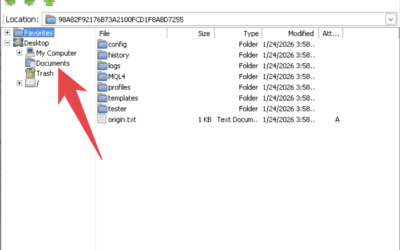
Windows Explorer on digiOS is not the real Windows Explorer — it is an emulation of the Windows file manager.
Key characteristics:
- Folder icon with a classic Windows logo
- Appearance resembles Windows Explorer
- Runs on top of a Windows emulation environment (Wine)
Why Windows Explorer is Not Recommended for Daily Use?
Because Windows Explorer on digiOS:
- Is only an emulation
- Is not fully integrated with the system
- Has limited features
- Is heavier than the native Linux File Manager
Quick Comparison
| Aspect | File Manager (Linux) | Windows Explorer (Emulation) |
|---|---|---|
| Icon | Plain folder | Folder + Windows logo |
| System | Native digiOS | Windows emulation |
| Main function | Daily file management | Transferring EA & Windows files |
| Performance | Faster | Heavier |
| Recommendation | Use daily | Use only when needed |
Usage Recommendation
For the best experience on digiOS:
- Use File Manager for daily activities
- Use Windows Explorer only when absolutely necessary
- Reserve Windows Explorer for Windows application file transfers only
Conclusion
digiOS provides two file managers for different purposes. The Linux File Manager is the primary file manager, while Windows Explorer is merely an emulation tool. Using File Manager as your default will provide a more comfortable, faster, and better-integrated experience.