
How to fix SSL certificate errors on a Windows 7 VPS without running Windows Update, using the SSL Fix and Chrome available at vfxwelcome.digitalku.com.
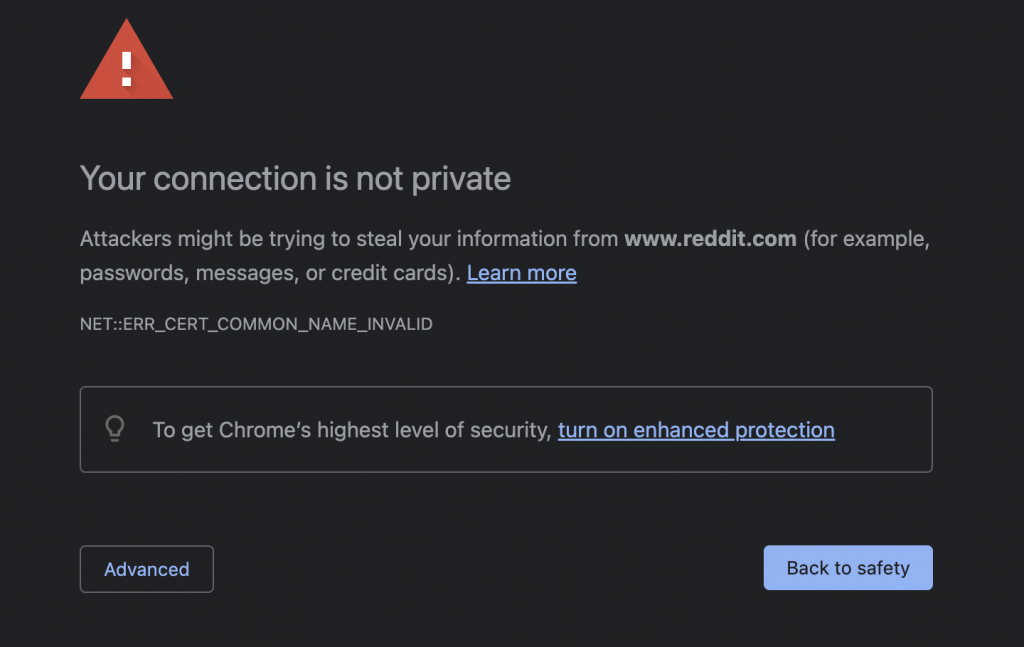
If many websites cannot be opened on your Windows 7 VPS, the SSL Certificate on your VPS has likely expired. This issue can also cause related problems such as Telegram notifications not working or MetaTrader failing to connect.
The standard fix is a Windows Update — but this is not recommended as it can slow down the VPS.
Here is an alternative solution without running Windows Update.
Steps
1. Download and Install the SSL Fix
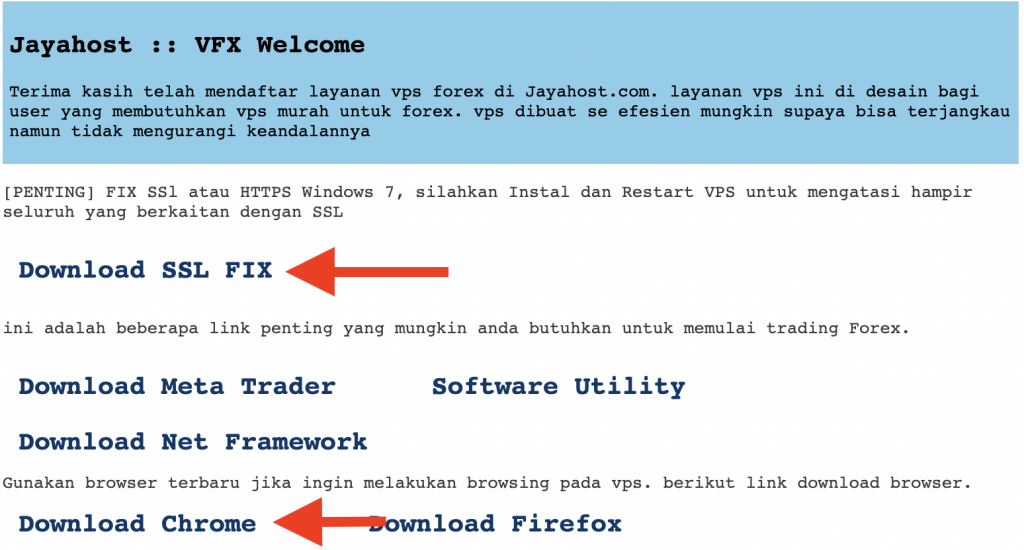
Open a browser inside the VPS and go to vfxwelcome.digitalku.com. Download the SSL Fix available there and run the installer.
2. Download and Install Google Chrome
From the same page, download the Google Chrome version provided for the VPS. Using an up-to-date Chrome ensures better SSL compatibility.
3. Restart the VPS
After installing the SSL Fix and Chrome, restart the VPS to apply the changes.
After the restart, the SSL error should be resolved and websites should be accessible again normally.