
A tutorial on how to connect your own domain to a WordPress.com blog by changing name servers to activate the custom domain on WordPress.
Note: WordPress.com is different from WordPress.org. WordPress.org is a script installed on hosting. WordPress.com is a cloud-based blogging service — similar to Blogger, but requires a paid plan for custom domains.
This tutorial explains how to change your blog from yourblog.wordpress.com to yourblog.com using a domain purchased from Digitalku.
Overview of Steps
- Upgrade WordPress.com to a Premium plan
- Buy a domain at Digitalku
- Connect the domain in the WordPress dashboard
- Change the domain's name servers to WordPress
1. Upgrade WordPress to Premium
WordPress.com only allows Premium accounts to use a custom domain. Premium plans range from approximately IDR 47,000 to IDR 500,000 per month.
To purchase a Premium plan, visit wordpress.com/pricing.
2. Buy a Domain at Digitalku
Purchase your preferred domain at digitalku.com/domain and follow the order steps until the domain is active.
3. Connect the Domain in WordPress Dashboard
Log in to your WordPress dashboard, then in the sidebar click Manage → Domains.
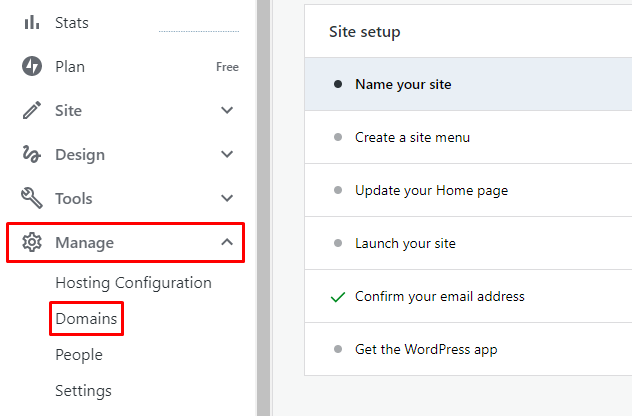
WordPress will offer to sell you a domain directly. Since you already have a domain from Digitalku, select Use a domain I own.
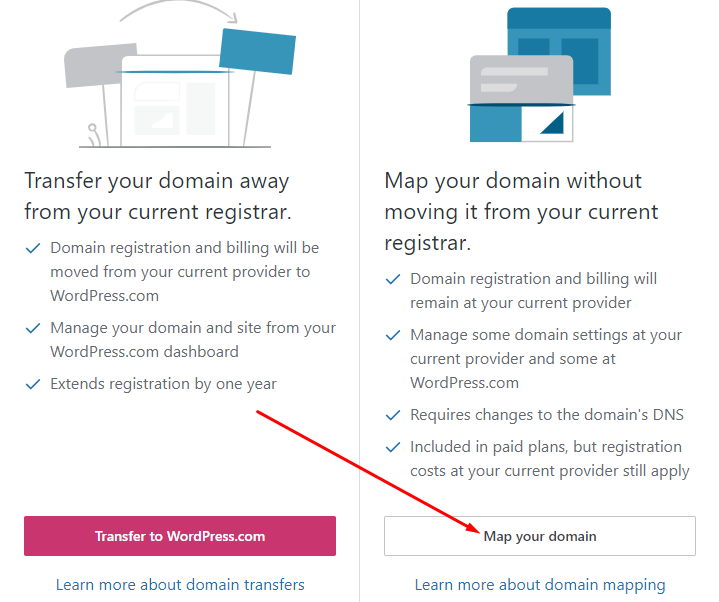
Select Map Your Domain.
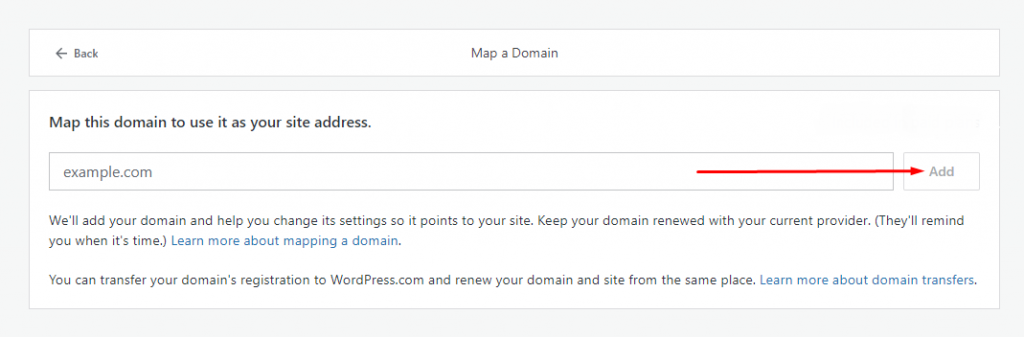
Enter the domain name you purchased at Digitalku and click Add.
4. Change Domain Name Servers
Step 1 — Log in to the Digitalku Client Portal
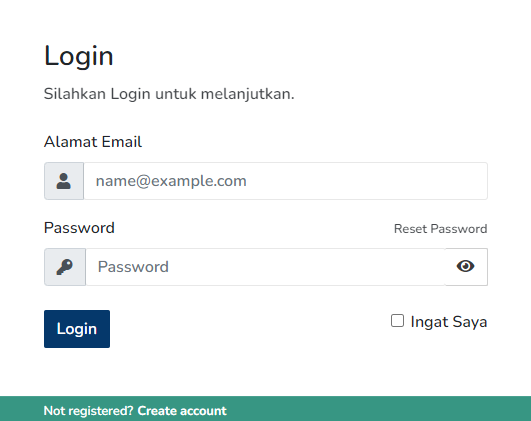
Step 2 — Click Domain, select your domain, then open the Name Server tab
Step 3 — Point the name servers to the following WordPress addresses:
ns1.wordpress.com
ns2.wordpress.com
ns3.wordpress.com
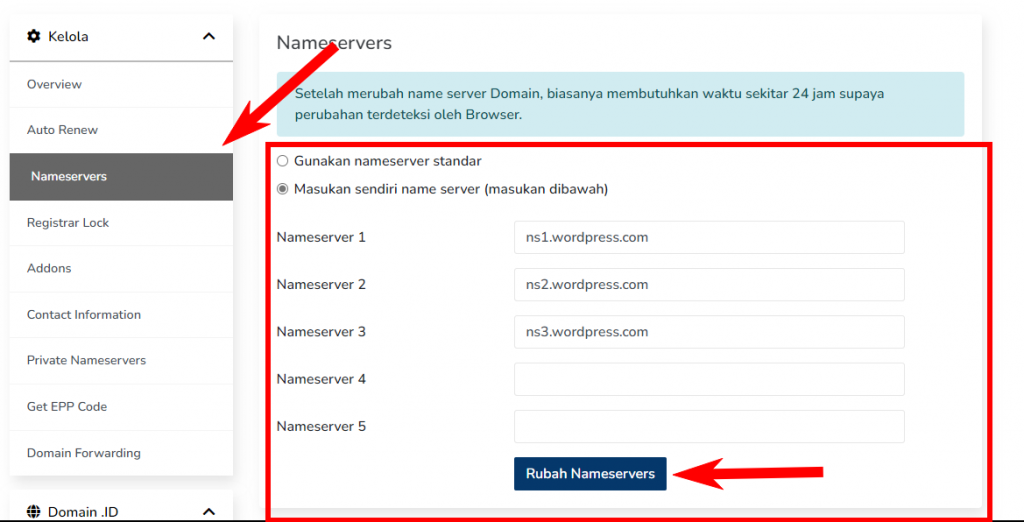
After updating the name servers, wait for DNS propagation (up to 1×24 hours). Your domain will be active on WordPress.com once propagation is complete.