
Guide to duplicating (cloning) a Softaculous-installed website to another addon domain or subdomain within the same cPanel account.
The Clone feature in Softaculous lets you duplicate a website to another addon domain or subdomain within the same cPanel account — no manual migration needed. This feature is only available for websites already installed via Softaculous.
Steps
Step 1 — Open Softaculous in cPanel
Log in to cPanel and open Softaculous Apps Installer.
Step 2 — Click All Installations
Click All Installations to see all websites currently installed through Softaculous.
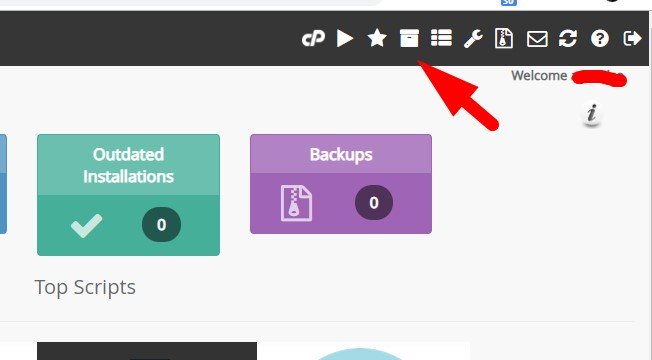
Step 3 — Click the Clone Icon
Find the website you want to duplicate and click the Clone icon on that row.
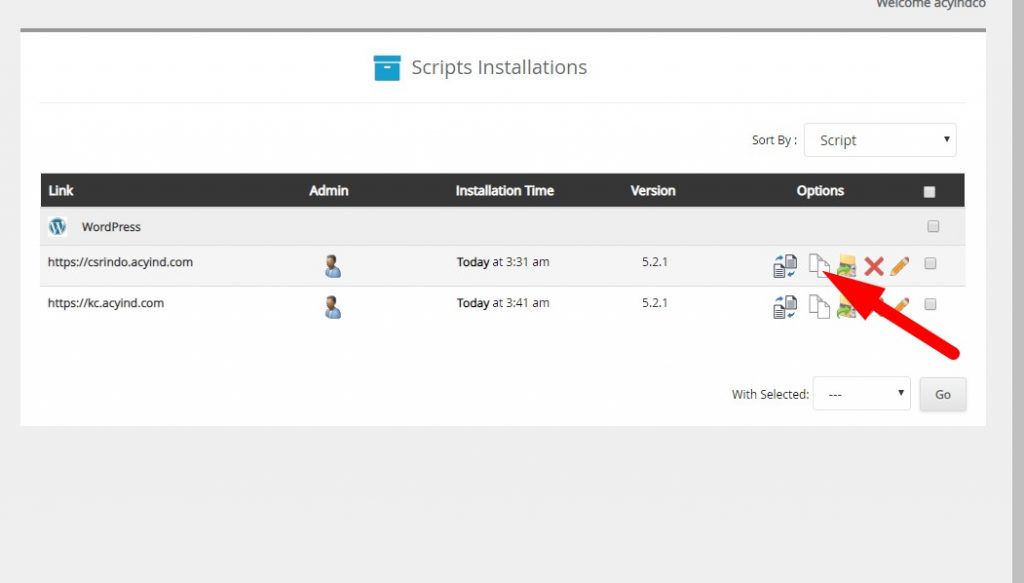
Step 4 — Select Destination and Clone
Select the target domain or subdomain where the clone will be saved. Make sure the destination folder is empty to avoid conflicts. Delete any existing files in that folder first if needed. Then click Clone Installation.
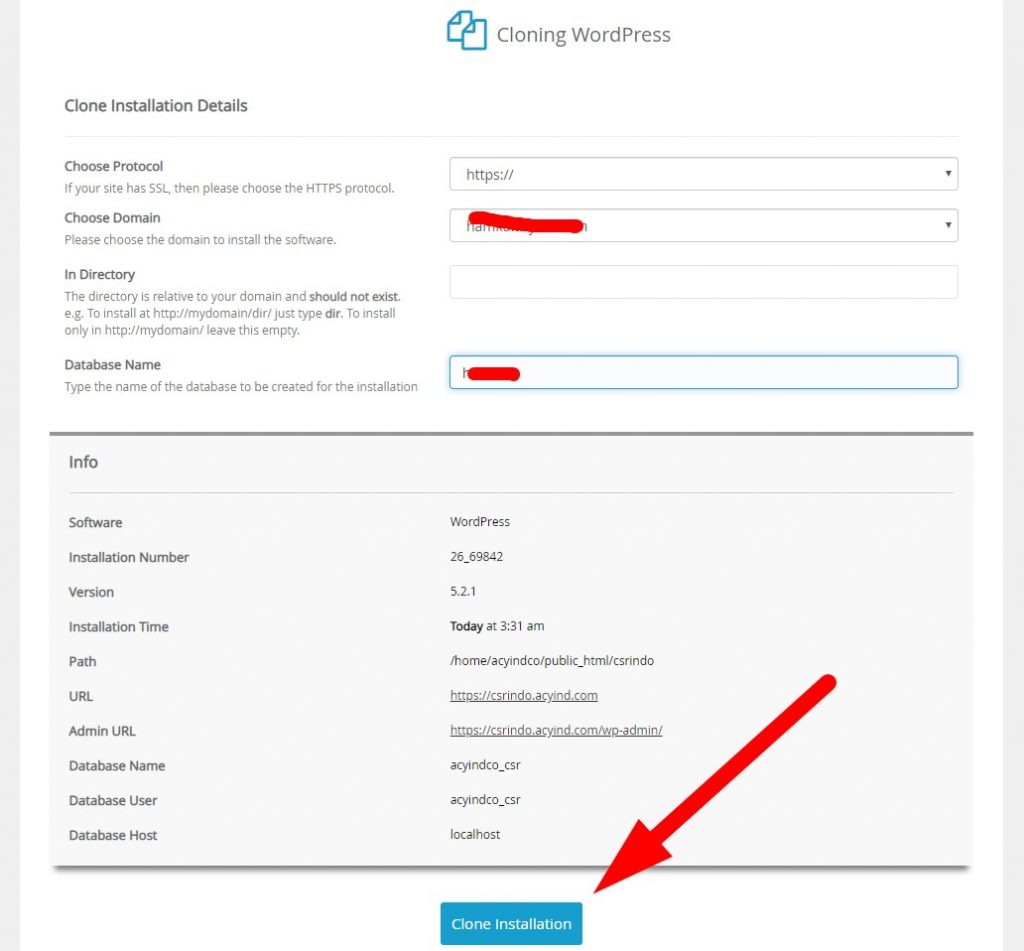
Wait for the process to complete — it typically takes under a minute. A success notification will appear when the clone is done.