
Step-by-step guide on how to connect to a Linux VPS via SSH using PuTTY on Windows or the Terminal on Linux/macOS.
Introduction to SSH
SSH (Secure Shell) is one of the most powerful methods for administering a Linux server. Through SSH, you can fully manage your Linux server in text-based mode — from installing application modules to various configuration tasks.
For Windows Users
Using PuTTY
- Download PuTTY from the official website
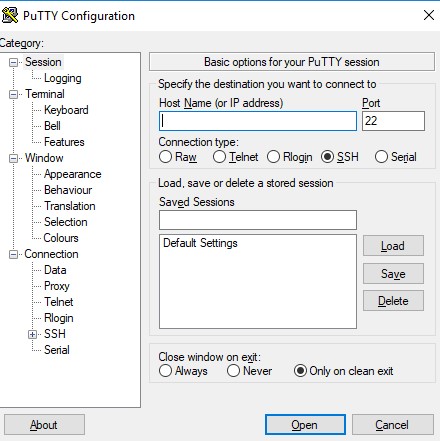
- Open the downloaded PuTTY application
- Enter your VPS IP address
- Click Open
- Enter the username and password from the activation email you received when your VPS was set up
Alternative: Smartty
Another recommended SSH client for Windows is Smartty, available for download here.
For Linux / macOS Users
- Open Terminal
- Type the following command:
ssh username@your-vps-ip
Example:
ssh [email protected]
- Enter your VPS password when prompted