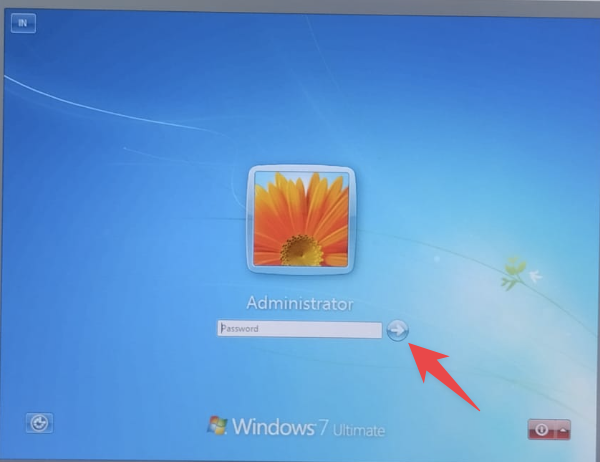
Guide to connecting to your Windows VPS using AnyDesk as a more secure and stable alternative to Remote Desktop. Ideal for Forex VPS running MetaTrader.
AnyDesk is a remote desktop alternative that resolves many common issues with standard Remote Desktop Protocol (RDP). Digitalku Forex VPS supports AnyDesk login for improved security and reliability.
Advantages of AnyDesk over Standard RDP
- Enhanced security — connects via ID rather than IP, making it harder to attack
- Bypasses VPS lockout issues — not affected by Account Lockout Policy
- Optimal MetaTrader auto-start — works correctly after VPS restarts
- Faster and more stable connection
Note: Standard Remote Desktop is disabled on some of our VPS instances to improve security.
Steps to Log in via AnyDesk
Step 1: Download AnyDesk
Download AnyDesk from the official site: anydesk.com/en/downloads
Step 2: Enter Your VPS AnyDesk ID
Open the AnyDesk application and enter your VPS AnyDesk ID in the "Remote Desk" field.
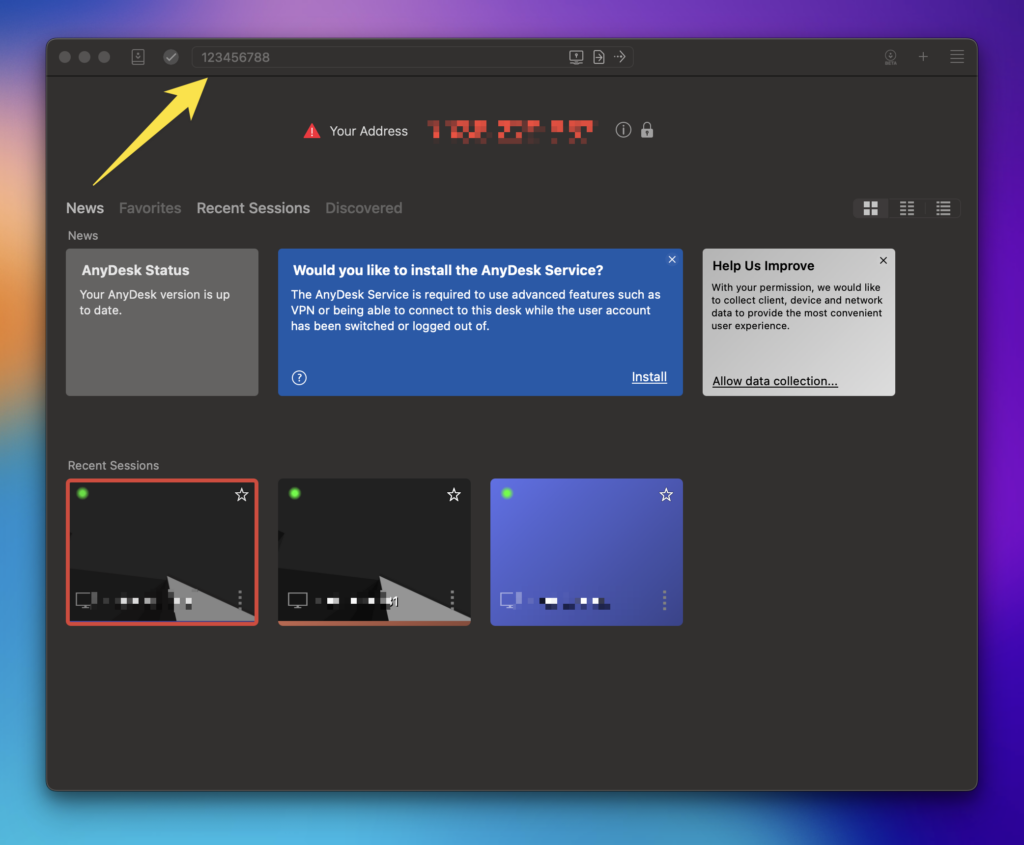
Step 3: Click Connect
Click the Connect button (arrow icon) to initiate the connection.
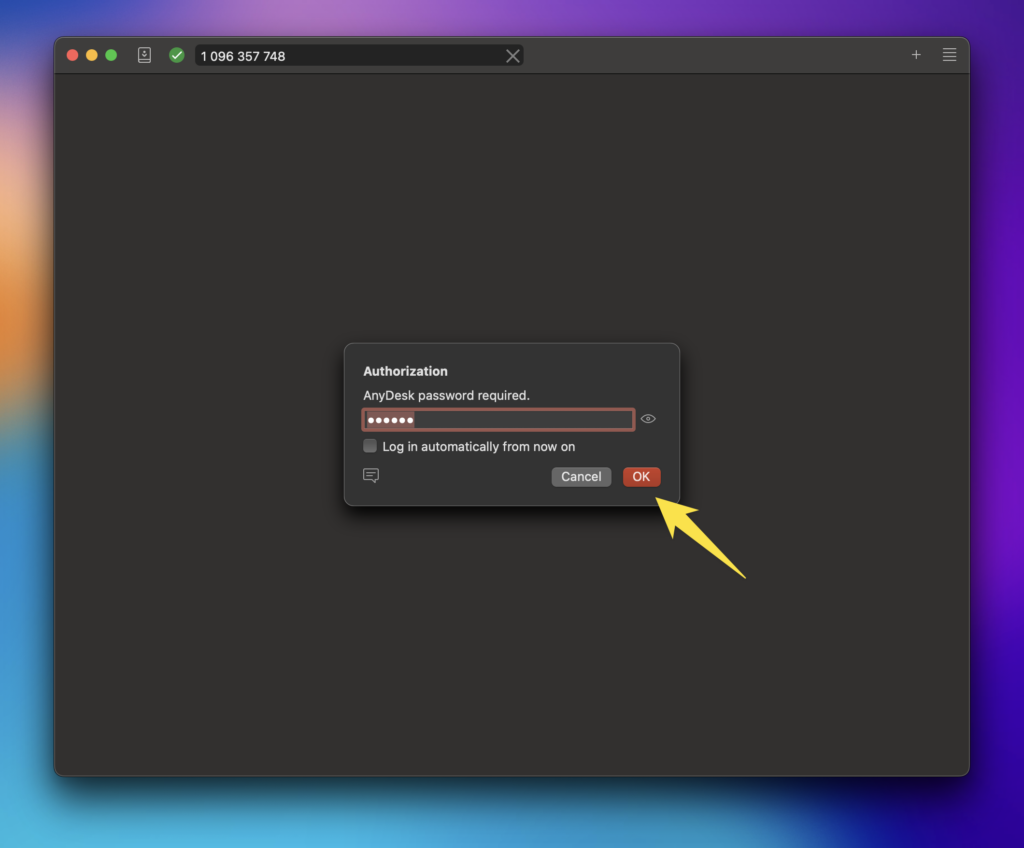
Step 4: Enter Your Password
Enter your VPS password when prompted. If an unexpected dialog appears during your first login, simply click the arrow button without entering anything.