
Step-by-step guide to setting up Google Suite (Google Workspace) through the Digitalku client portal, from login to admin account configuration.
What is Google Suite?
Google Suite (now known as Google Workspace) is a premium email service from Google that provides professional email with your own domain, Google Drive, Google Meet, and a range of business productivity tools.
Setup Steps
Step 1: Login to the Client Portal
Log in to the Digitalku client portal at portal.digitalku.com.
Step 2: Go to Services
Click Layanan (Services) in the top navigation menu.
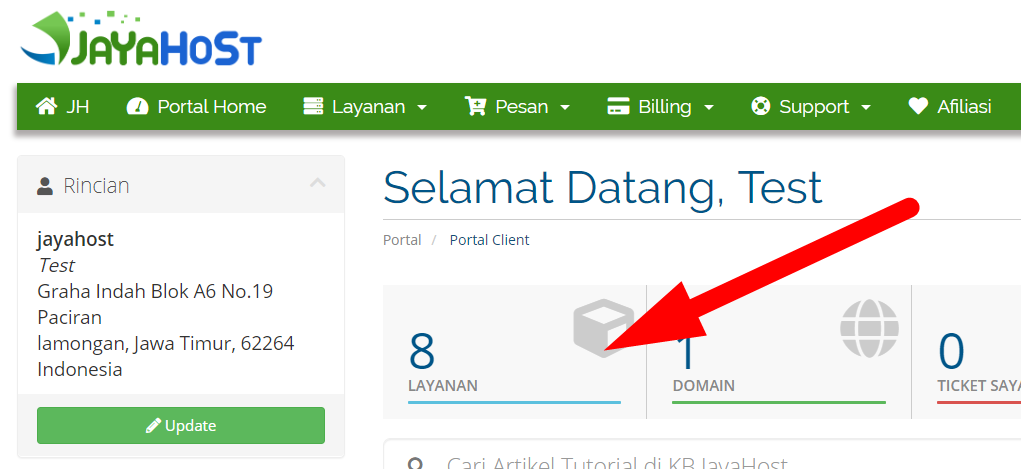
Step 3: Select Your Google Suite Service
Choose your Google Suite service from the list of active services.
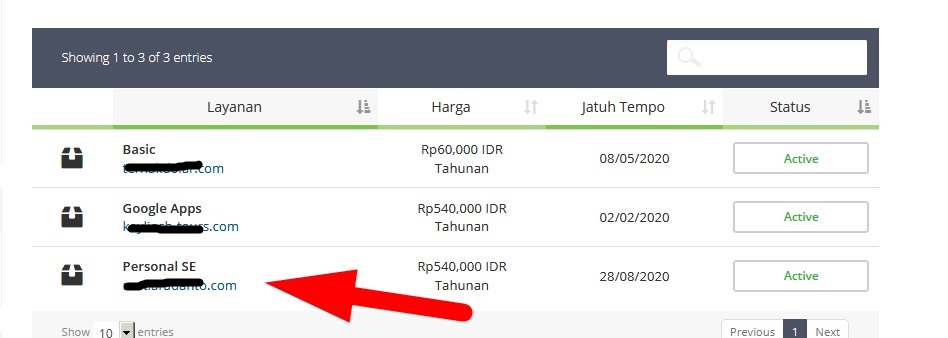
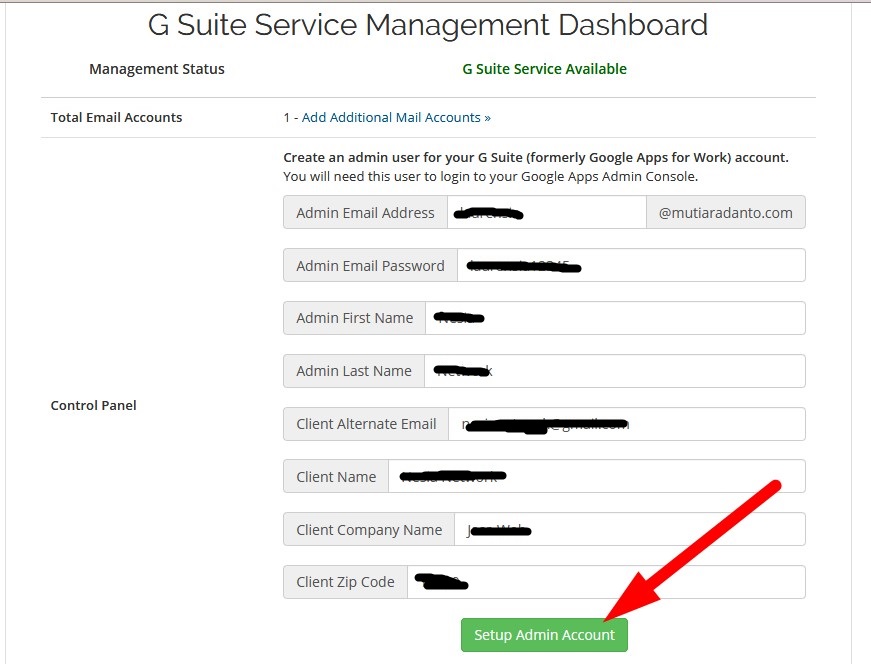
Step 4: Set Up Your Admin Account
Scroll down to fill in your Google Suite details, then click Setup Admin Account.
Step 5: Follow Google's Instructions
Follow the on-screen instructions from Google to complete the configuration.
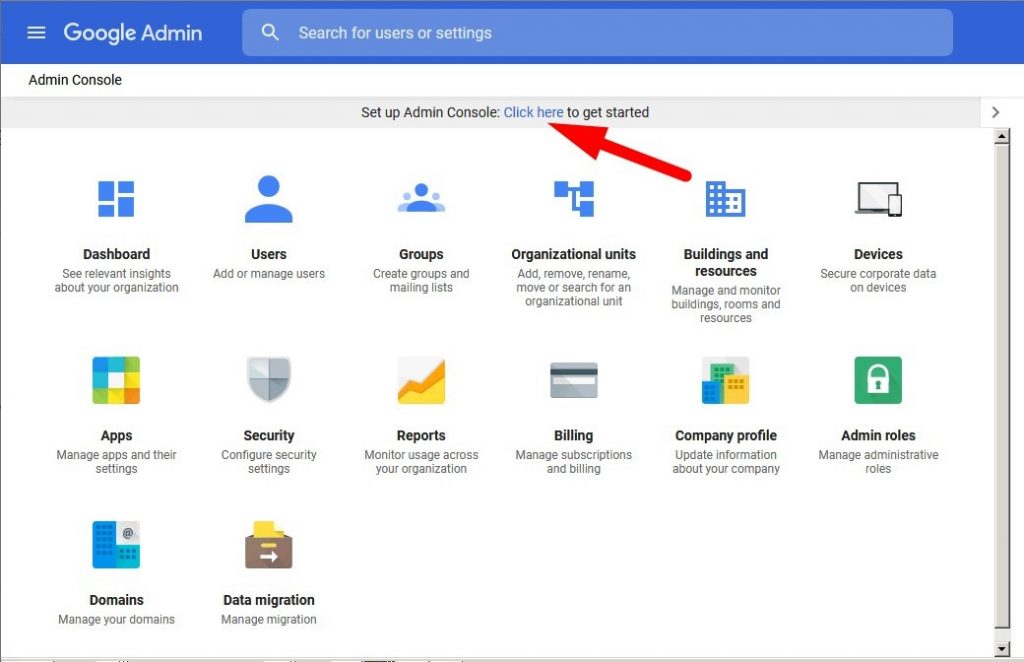
Accessing Your Google Suite
- Admin Console: admin.google.com
- Email: gmail.com (after setup is complete)