
A complete guide on how to transfer both domain and hosting to Digitalku at the same time — from requirements and ordering to data migration.
Only transferring a domain? Read How to Transfer a Domain to Digitalku.
This tutorial explains how to transfer both domain and hosting to Digitalku simultaneously.
Quick Overview
- Register new hosting at Digitalku
- Order a domain transfer at the same time as the hosting registration
- Point name servers to Digitalku
- Migrate data from old hosting to Digitalku (Digitalku's team can assist)
Domain Transfer Requirements
- Domain must be at least 60 days old since registration
- Domain must have at least 30 days remaining before expiry
- You must have the EPP Code (a unique combination of letters and numbers)
- Domain must be UNLOCKED (Theft Protection disabled)
- Indonesian domains (.co.id, .web.id, etc.) require additional documents — see Indonesian Domain Requirements
Transfer Steps
Step 1 — Go to digitalku.com/cloud-hosting and browse hosting plans
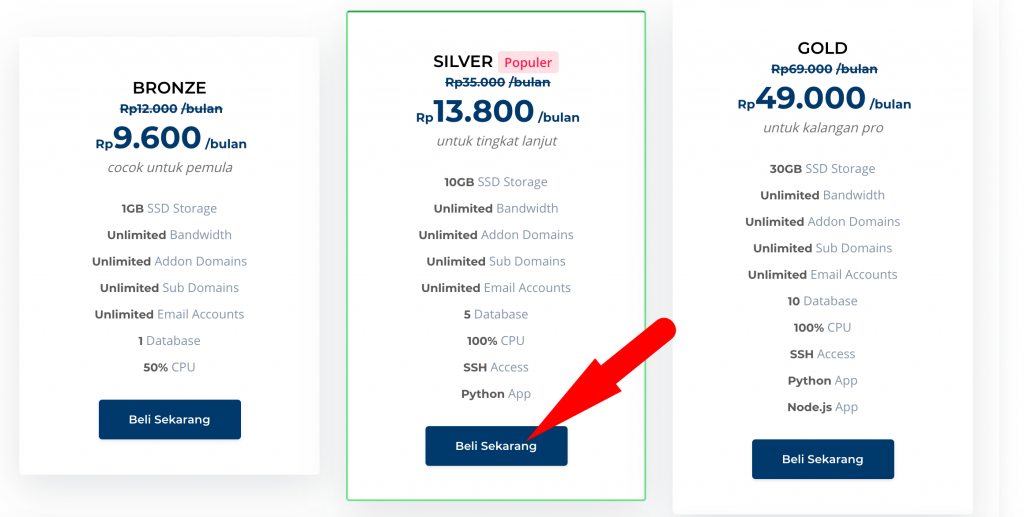
Step 2 — Select your preferred hosting plan and click Buy Now
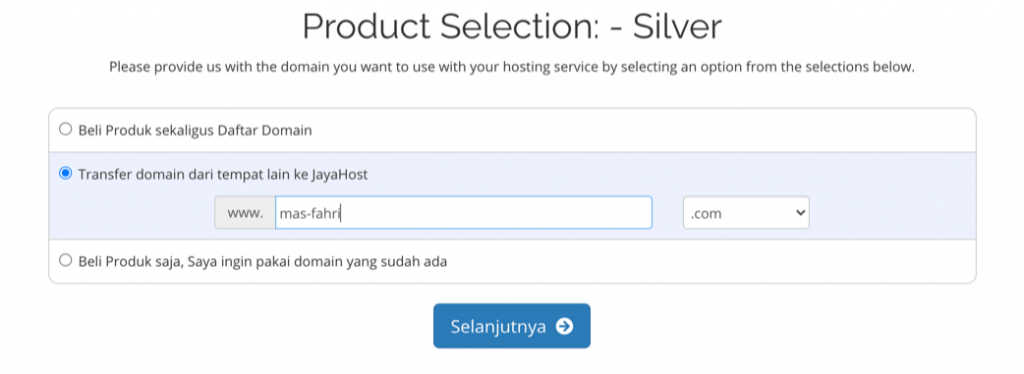
Step 3 — In the domain section, select the Transfer Domain option (the middle option)
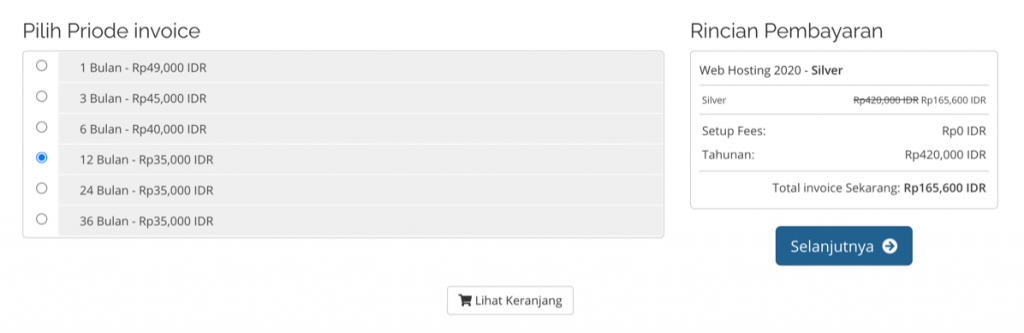
Step 4 — Choose the hosting billing period. Annual is recommended so the hosting and domain periods align — and it's more cost-effective
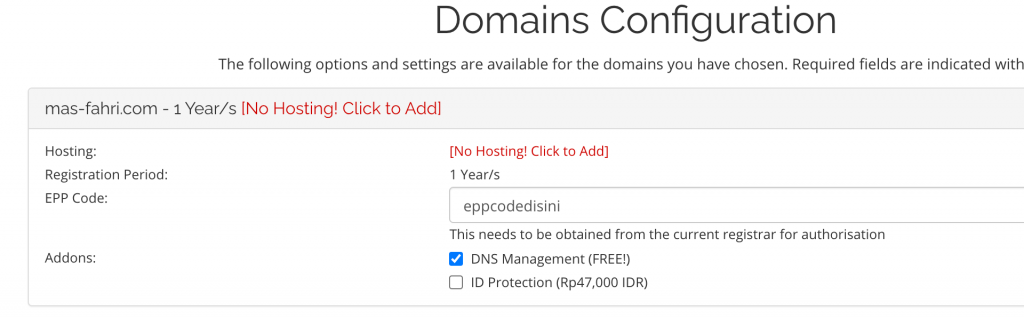
Step 5 — Enter the EPP Code obtained from your current domain provider
Step 6 — Review your order — make sure both hosting and domain transfer are included — then click Complete
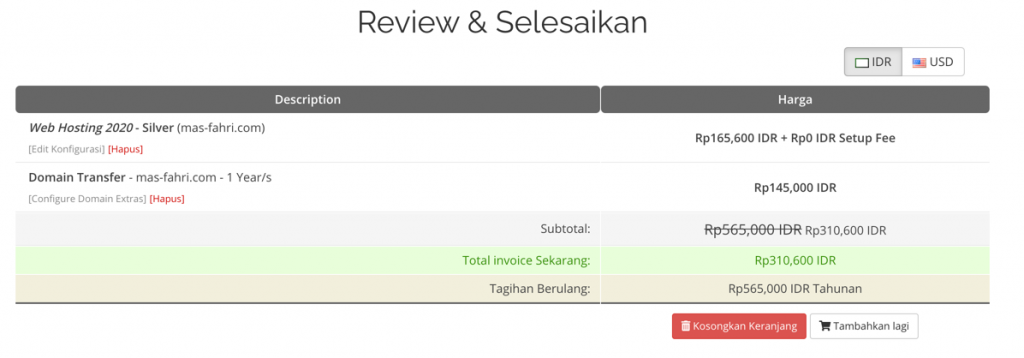
Step 7 — Complete the registration
Step 8 — Click the confirmation link sent to your email to proceed with the domain transfer
Step 9 — Point the name servers to Digitalku from your current domain registrar. This allows you to start using Digitalku hosting immediately without waiting for the domain transfer to complete
Step 10 — Migrate your data from the old hosting to Digitalku. You can do this yourself or request assistance from Digitalku's team