
Guide to switching PHP versions in Digitalku's cPanel hosting using the MultiPHP Manager to match your website's application requirements.
Digitalku allows you to choose and change the PHP version used on your hosting account, so you can match it to the requirements of your application or script.
Steps
Step 1 — Log In to cPanel
Log in to your hosting cPanel. See the how to log in to cPanel guide if needed.
Step 2 — Open MultiPHP Manager
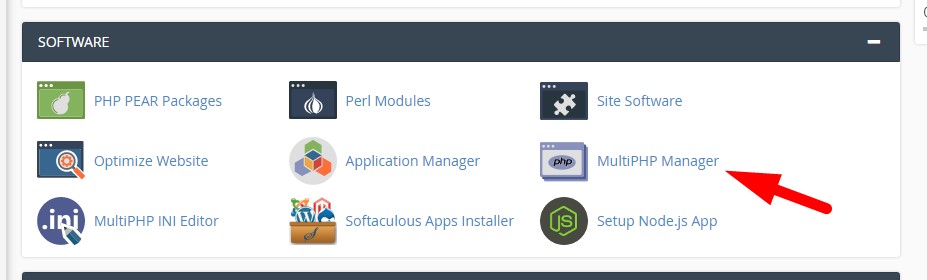
Find and click MultiPHP Manager (or Select PHP Version) in cPanel.
Step 3 — Select Domain and PHP Version
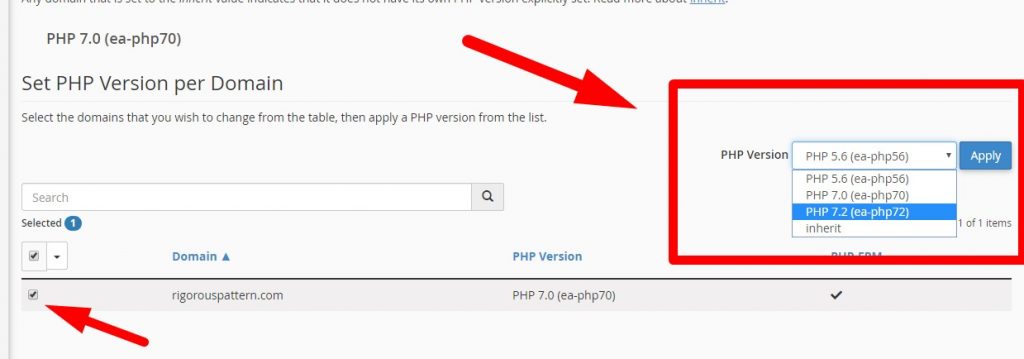
Select the domain you want to change, then choose your desired PHP version from the dropdown. Click Apply to save the changes.
The change takes effect immediately. Your hosting account will now use the selected PHP version.