
Step-by-step guide to changing your service billing cycle (monthly, annual, etc.) through the Digitalku Client Portal.
You can change the billing cycle of any service at any time through the Client Portal.
Steps
-
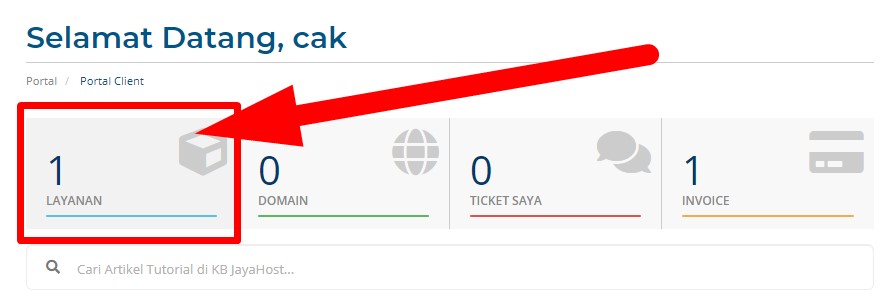
Log in to the Client Portal and go to Services
-
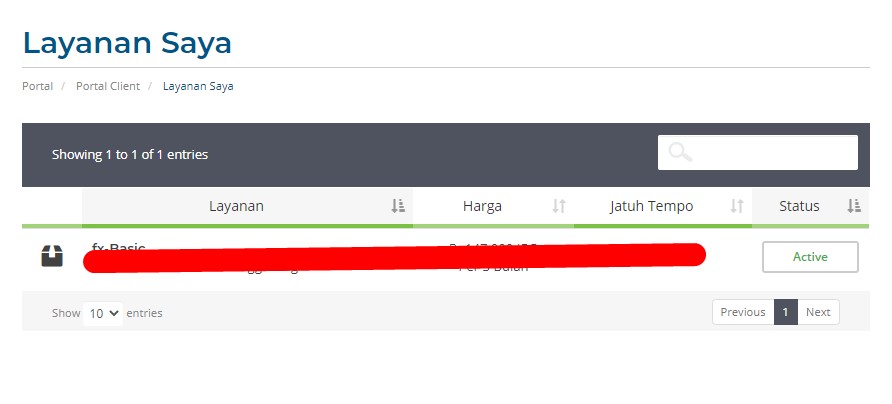
Click the service whose billing cycle you want to change
-
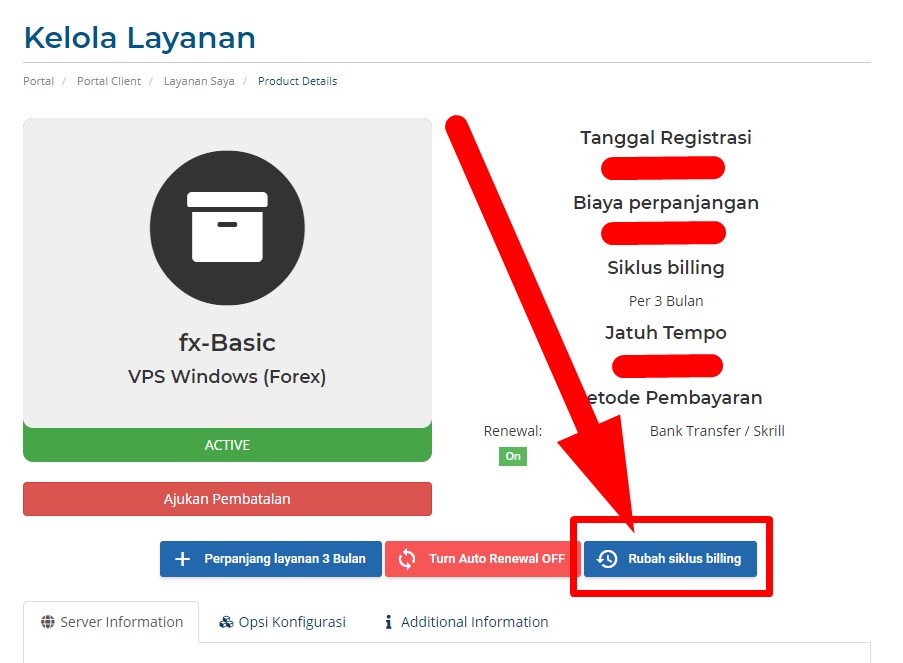
On the service detail page, click the Change Billing Cycle button
-
Select your desired cycle from the Select Billing Cycle dropdown, then click Change
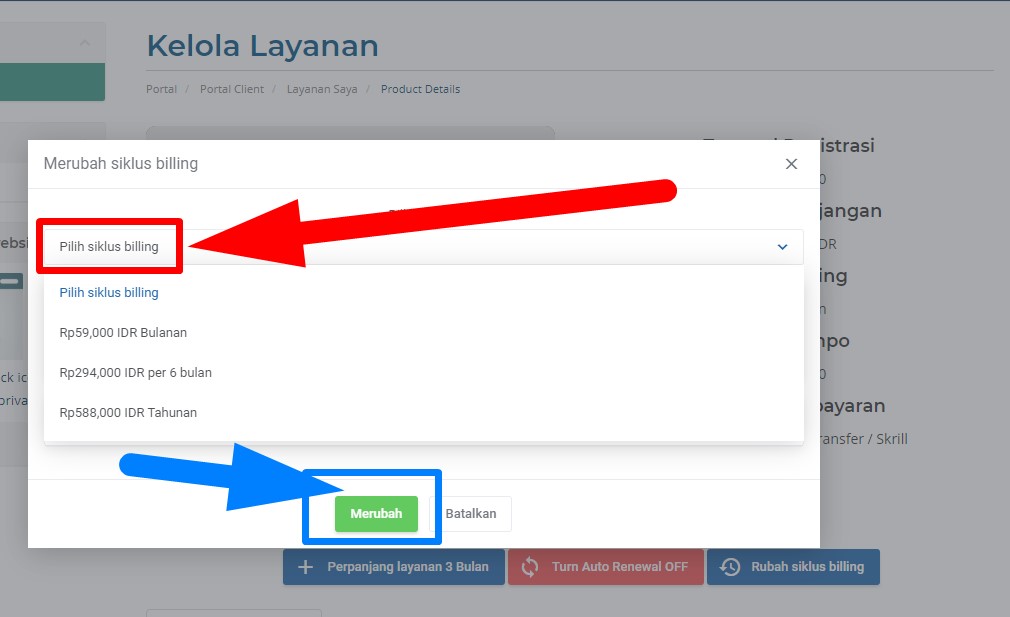
Once you click Change, an invoice for the billing cycle adjustment will be generated automatically.