
A guide on how to install MetaTrader on a digiOS Forex VPS and configure it to start automatically after a VPS restart.
Installing MetaTrader on digiOS has never been easier, thanks to the built-in MT Manager available directly on your desktop. No complicated manual setup required — just a few clicks and MetaTrader is ready to go.
1. Open MT Manager
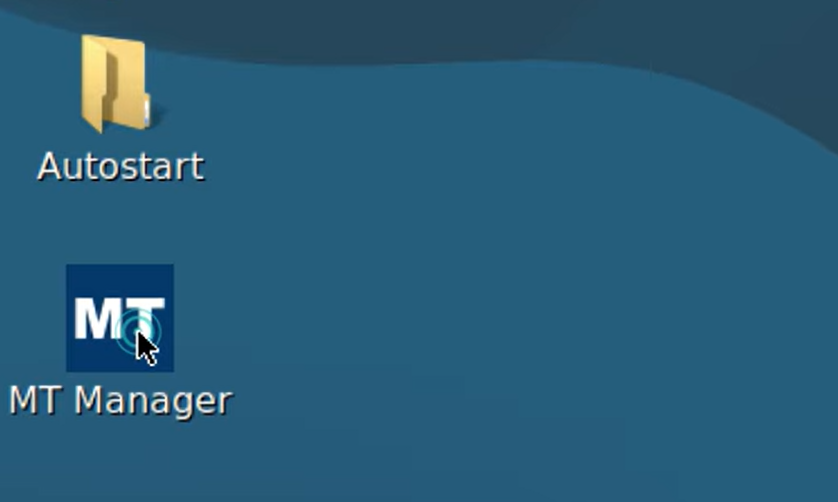
Start by double-clicking the MT Manager icon on your digiOS desktop. MT Manager is a built-in tool in digiOS designed specifically to manage MetaTrader installations in a simple and centralized way.
2. Select the MetaTrader You Want to Install
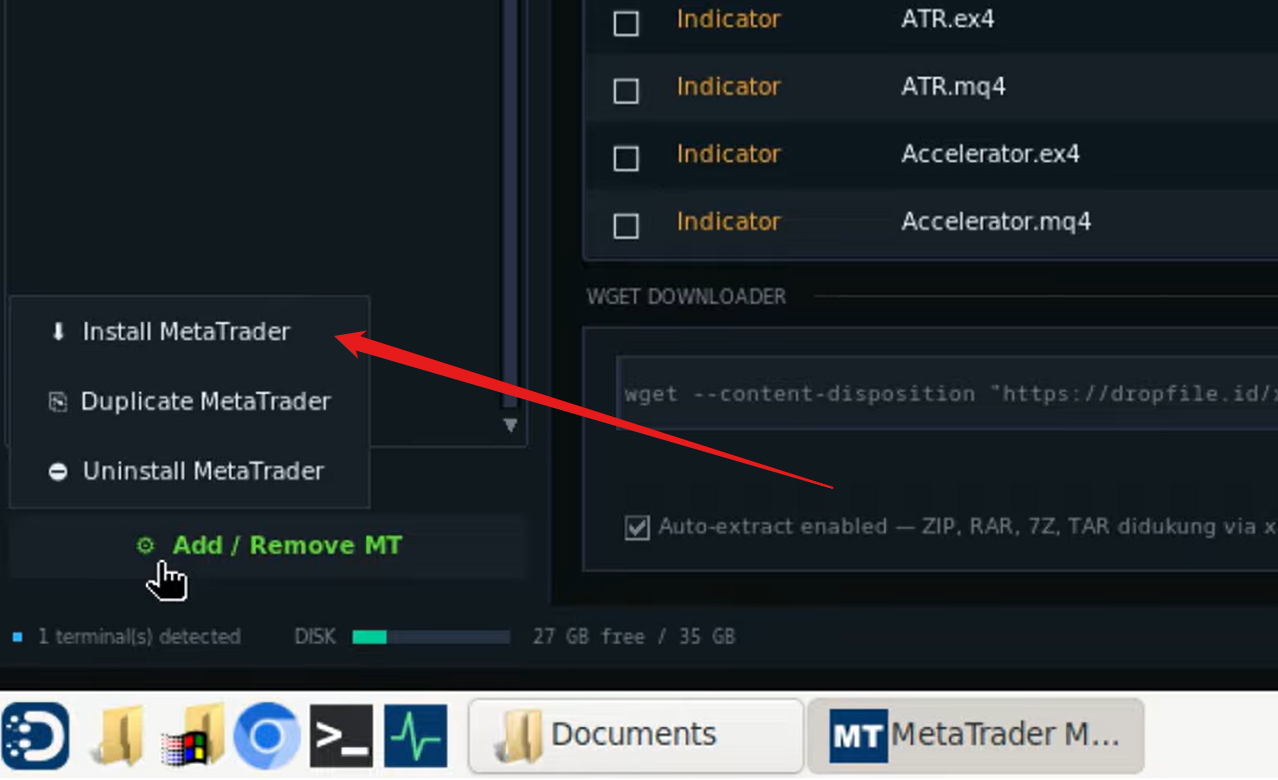
Once MT Manager is open, you will see a list of available MetaTrader versions to install. Select the version or broker MetaTrader that suits your needs.
3. Confirm the Installation
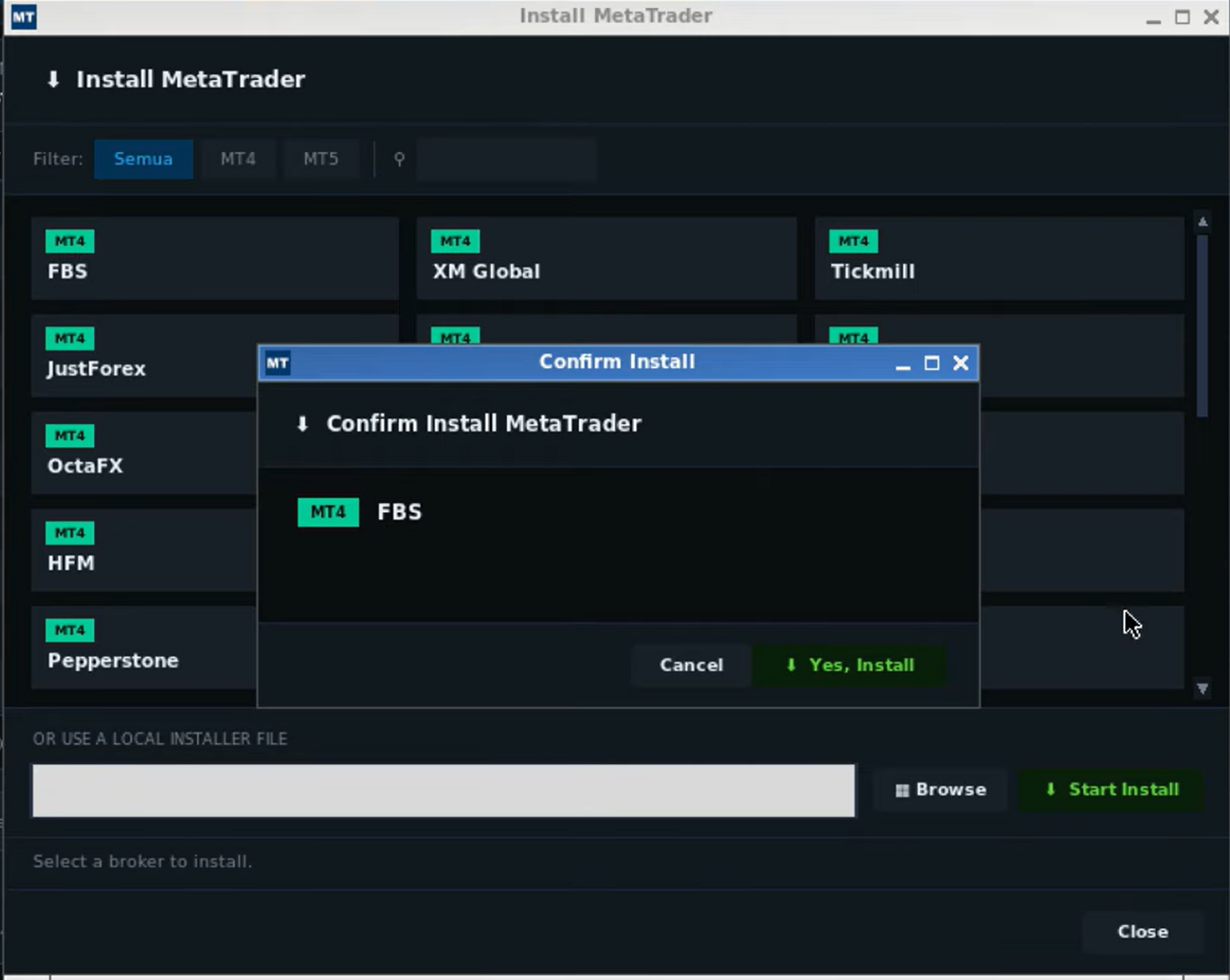
After making your selection, a confirmation dialog will appear. Click "Yes, Install" to proceed with the installation.
4. Run the Installation Process
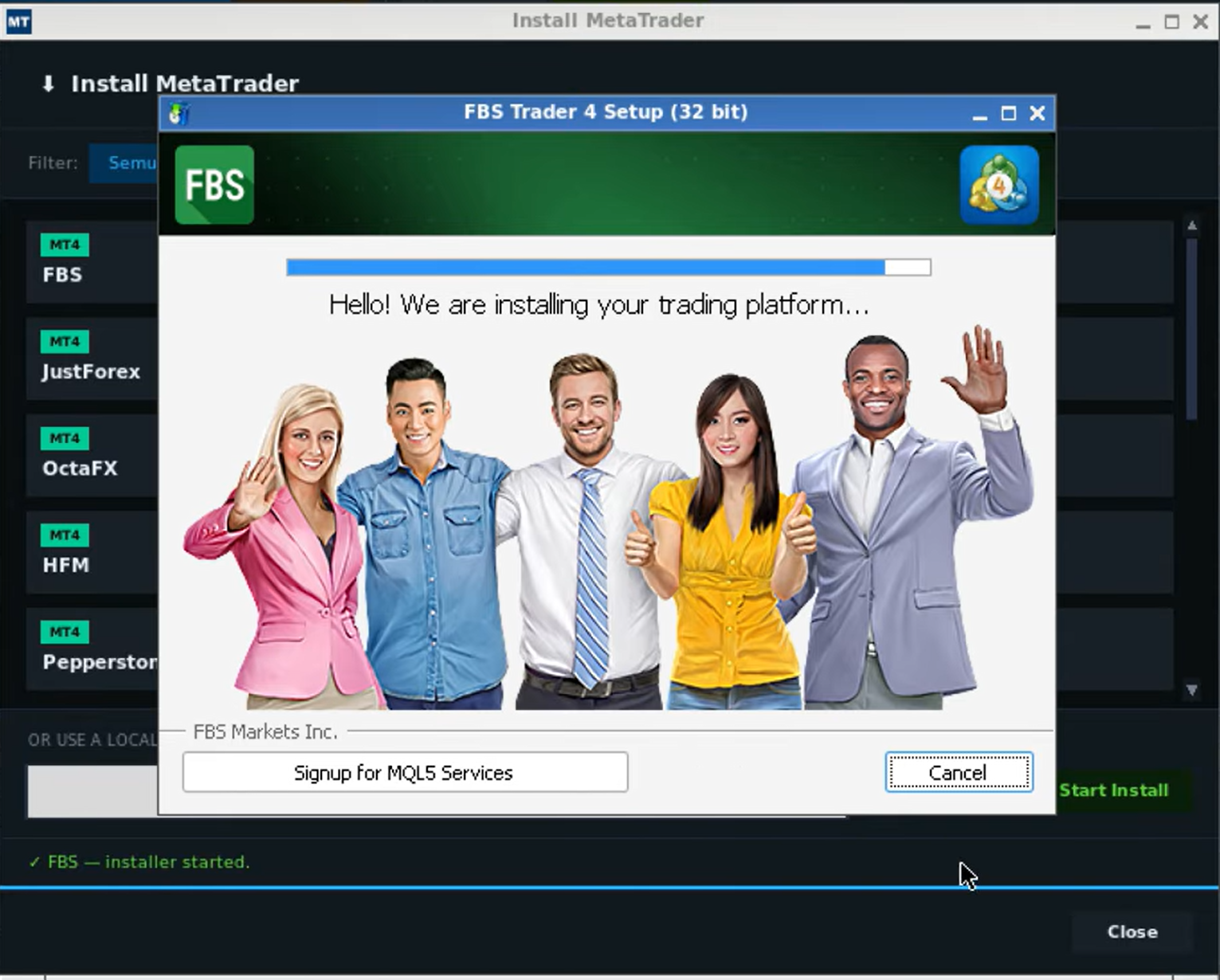
The installation will proceed just like a standard MetaTrader setup. Follow the on-screen instructions until the process is complete. MetaTrader will launch automatically once the installation finishes.
5. Configure Auto Start
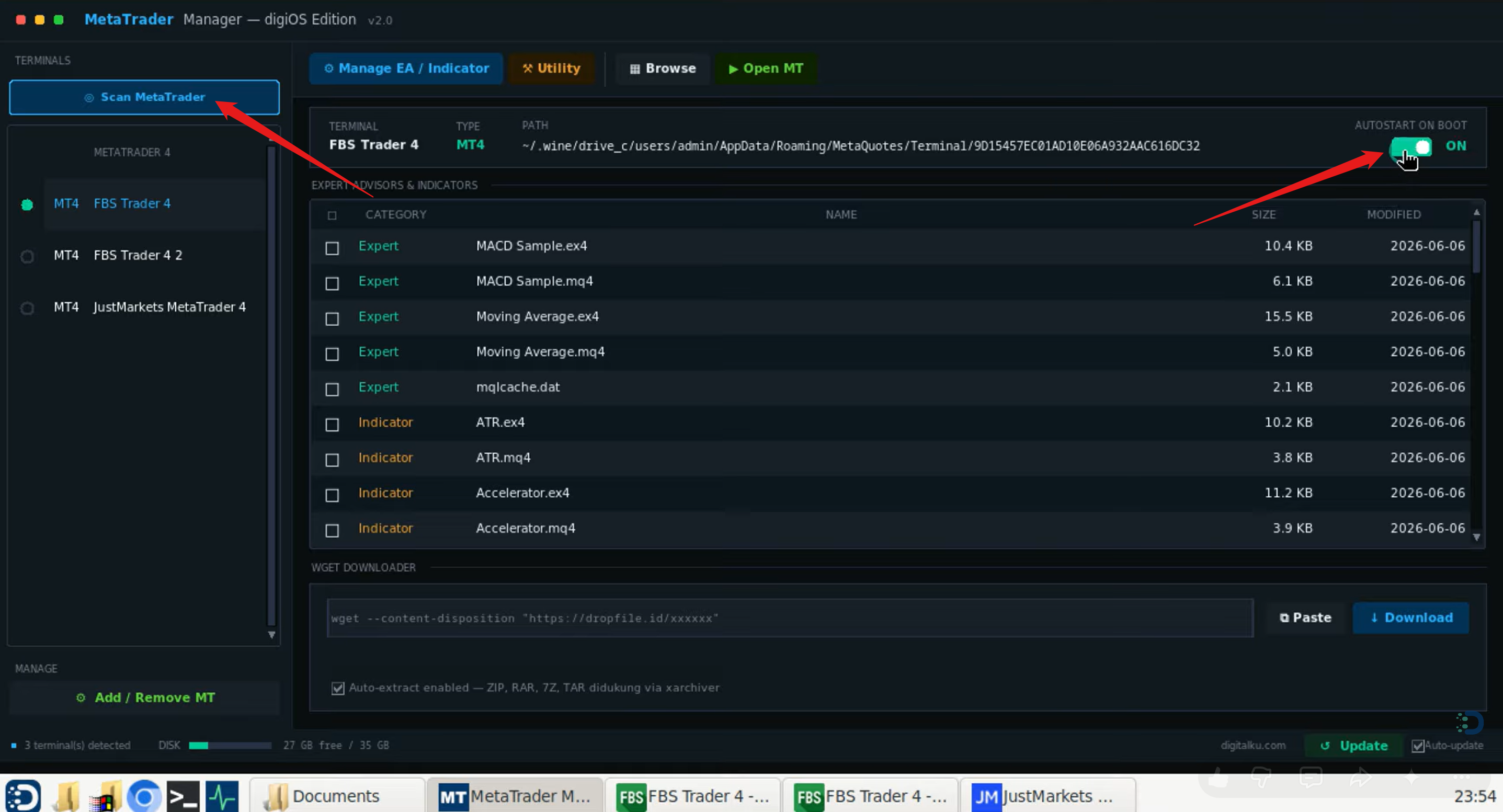
The Auto Start feature allows MetaTrader to launch automatically whenever the digiOS server restarts — whether due to a system update, maintenance, or an unexpected reboot. This ensures your trading activity is never interrupted.
To enable it via MT Manager:
- Select the MetaTrader instance you want to configure
- Enable the Auto Start option
With this feature active, you no longer need to manually log back into the server just to restart MetaTrader.
6. Duplicate MetaTrader (If Needed)
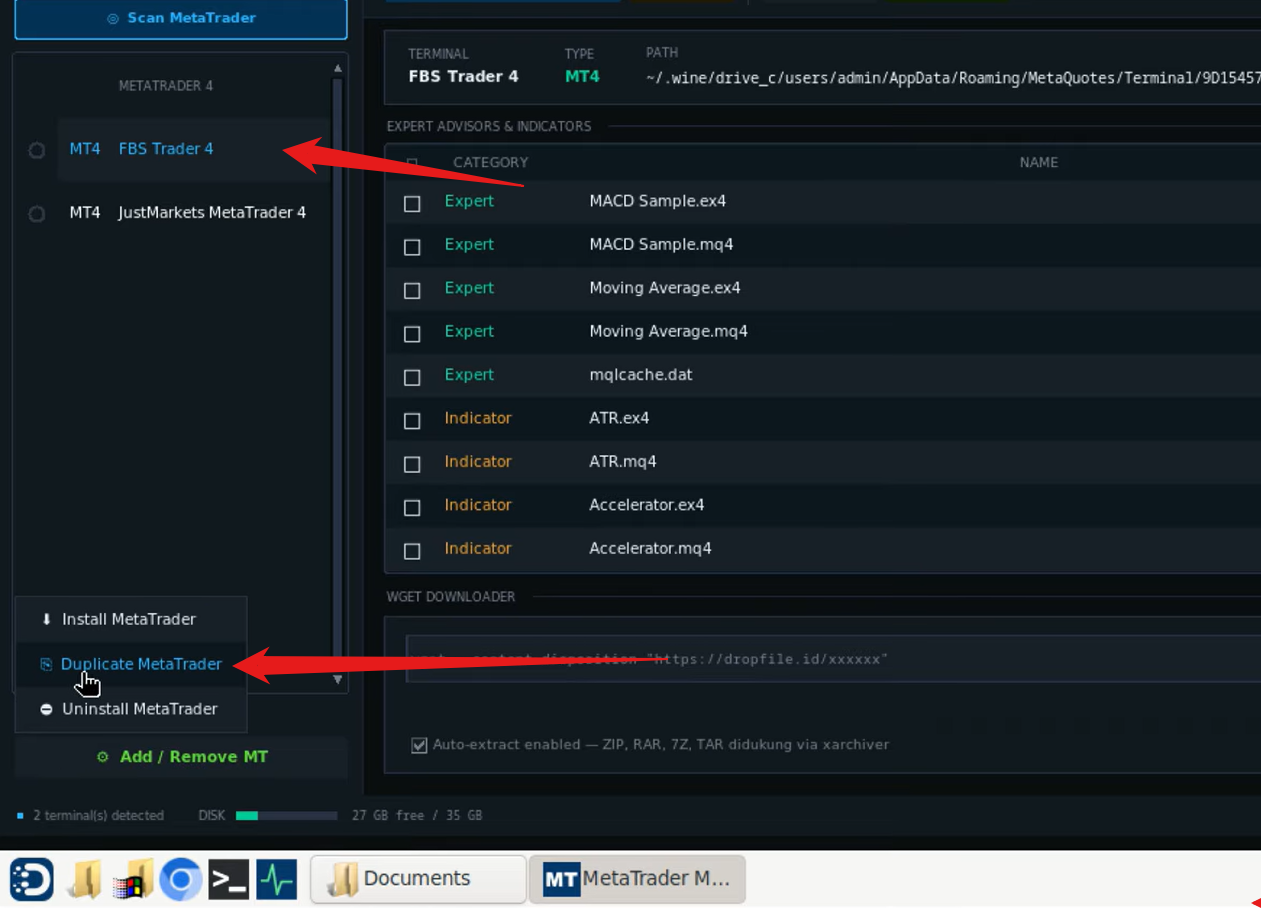
If you need more than one MetaTrader instance running under the same broker — for example, to manage multiple trading accounts simultaneously — you can use the Duplicate feature in MT Manager.
Steps:
- Click on the MetaTrader instance you want to duplicate
- Select Add / Remove MT
- Click Duplicate
A new MetaTrader instance will be created as a copy of the original, complete with the same broker configuration.
Summary
| Feature | How to Access |
|---|---|
| Install MetaTrader | MT Manager → Select MT → Yes, Install |
| Auto Start | MT Manager → Select MT → Auto Start |
| Duplicate MT | MT Manager → Add/Remove MT → Duplicate |
With MT Manager, managing MetaTrader on digiOS becomes fast and hassle-free — ideal for traders running multiple accounts or requiring high uptime without manual intervention.