
Digitalku's Windows 7 VPS now supports modern applications via VxKex. Guide to enabling it so apps run as if on Windows 11.
Windows 7 remains the preferred OS for Forex VPS due to its exceptional speed and stability. With VxKex, modern applications that typically require Windows 10/11 can now run on a Digitalku Windows 7 VPS.
Requirements
- VPS activated after March 4, 2025 already has VxKex pre-installed
- VPS activated before that date can follow this tutorial or contact our CS team for installation
How to Use
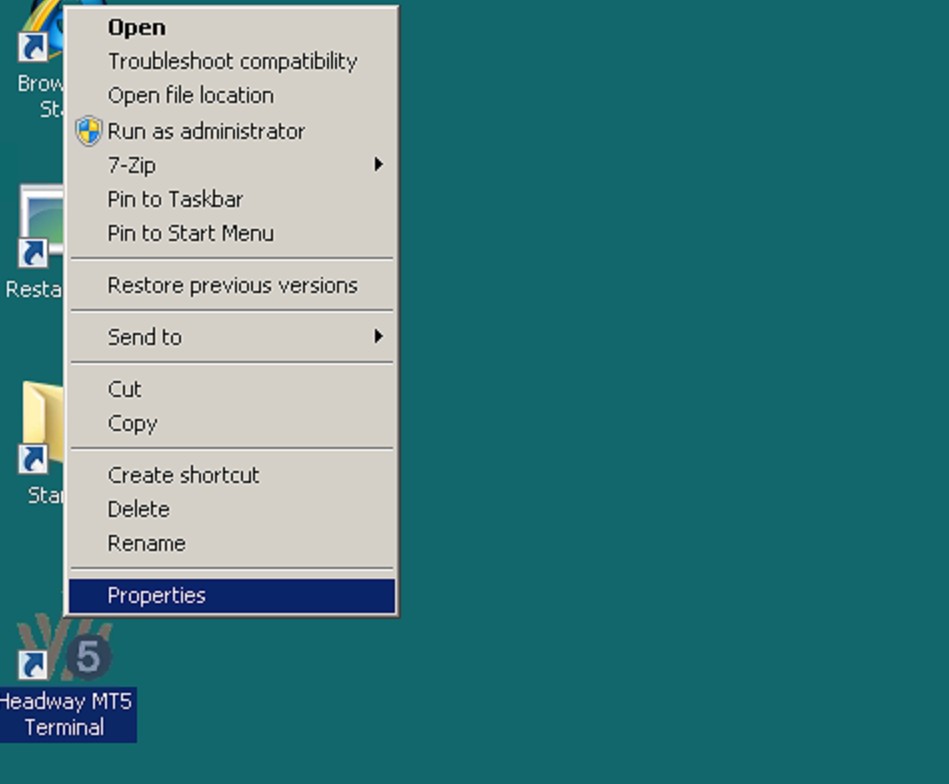
- Right-click the application file you want to run (or the installer/setup file) and select Properties
- Select the VxKex tab
- Check Enable VxKex for this program and Report a different version of Windows
- Choose Windows 11 from the dropdown
- Click OK
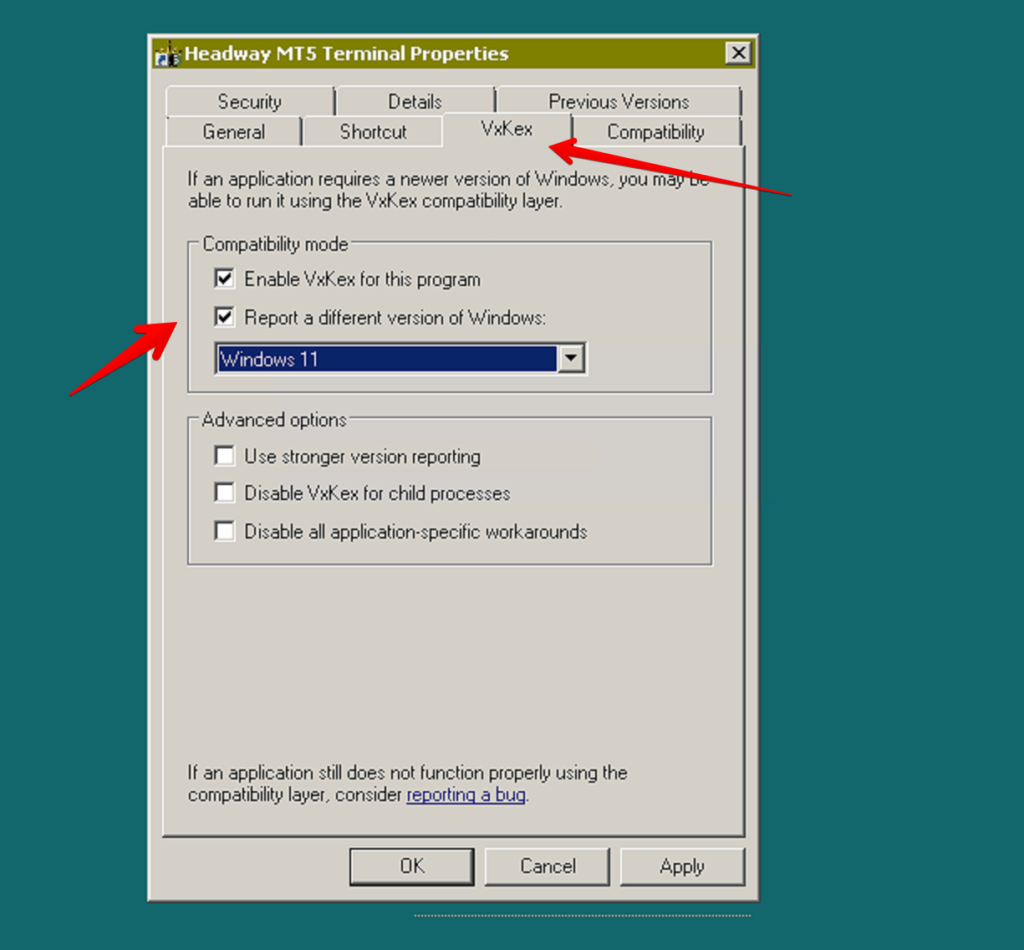
The application will now run normally as if it were on Windows 11.
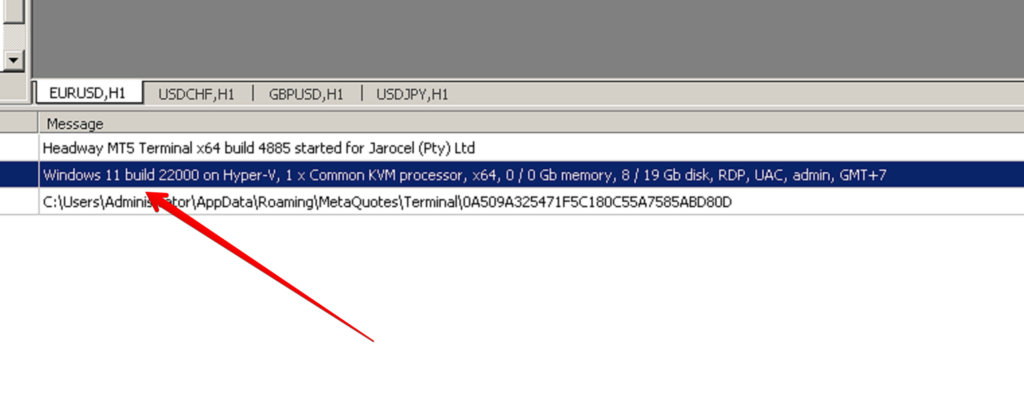
Even the Windows Terminal will identify the environment as Windows 11 — allowing MetaTrader and other trading applications to run without compatibility issues.