
TeamViewer Quick Support lets our team remotely access your computer to resolve issues directly, without any in-person visit.
TeamViewer is a free application that allows remote computer access over the internet. Our support team can use it to assist you directly without needing an in-person visit.
Benefits of TeamViewer Support
- Our team can remotely access your computer directly
- You can watch everything on your own monitor in real time — great for learning
- Very easy to set up
How to Use
To receive support via TeamViewer, simply download TeamViewer Quick Support — the lightweight version that requires no full installation.
Download TeamViewer Quick Support (15 MB)
Once downloaded, just open the file — no installation needed.
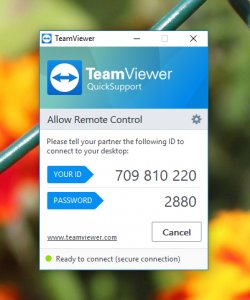
Share the ID and Password shown on your screen with our support team, and we'll connect remotely to help resolve your issue.