
Automatic bank transfer lets you pay invoices without manual confirmation — the system detects and validates your transfer within minutes.
Digitalku offers an automatic bank transfer payment method that verifies your payment without requiring a manual confirmation submission.
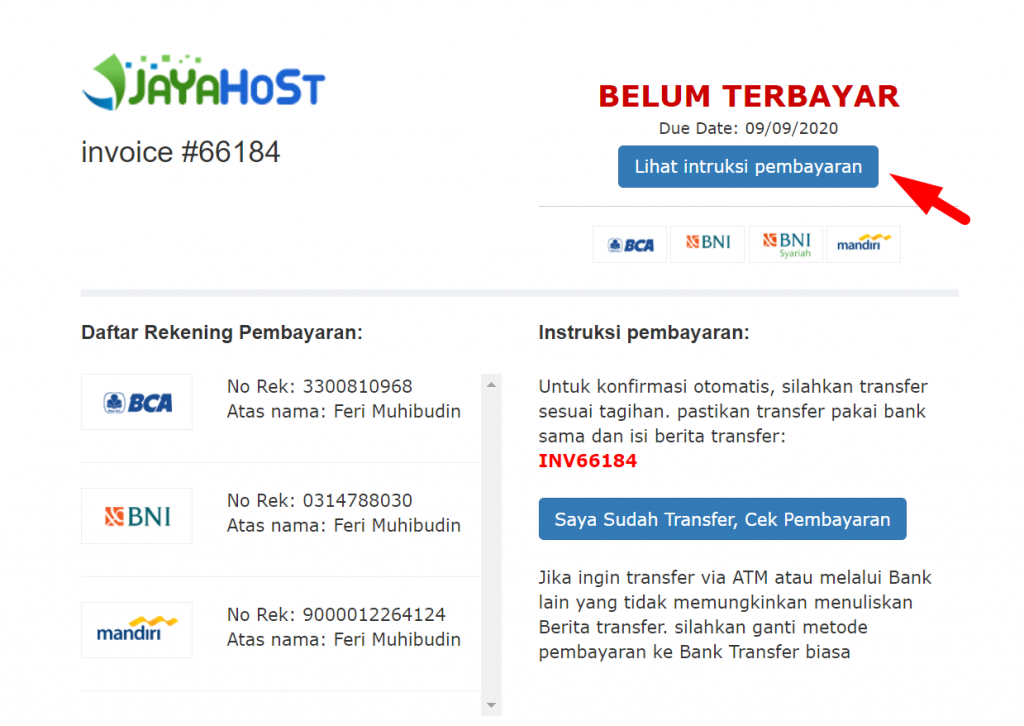
Supported Banks
This method requires a transfer from the same bank with the ability to include a transfer reference note. ATM transfers or transfers from unsupported banks are not compatible with this method.
Currently supported banks: BCA, BNI, and Mandiri.
How to Use
Select Automatic Bank Transfer when placing an order, or switch to this payment method on the invoice page.
When transferring, you must include the transfer reference note exactly as shown on the invoice. Use Mobile Banking or Internet Banking that supports a reference/note field — ATM transfers do not support this.
After completing the transfer, you can click "I have transferred, check payment" — or simply wait, as the system checks automatically every few minutes.
If you overpay, the difference is automatically added to your deposit balance and can be applied to future invoices.
Automatic Activation
Automatic payment supports activation and renewal for: Hosting, Domain, Google Workspace, and VPS.
VPS activation and renewal after suspension are processed within 30–60 minutes during business hours: 08:00–16:00 and 18:00–23:59 WIB.
Payment Hours
You can make transfers at any time. However, between 01:00–04:00 WIB, automatic checking is temporarily disabled due to bank mutation systems typically being offline during those hours. After that window, the system will automatically resume checking and validating your payment.