
Guide to creating a professional email address using your own domain name through the Email Accounts feature in cPanel.
Your Digitalku hosting plan includes email hosting, which lets you create email addresses using your own domain name — for example, [email protected].
Steps
Step 1 — Log In to cPanel
First, log in to your cPanel. See the how to log in to cPanel guide if needed.
Step 2 — Open Email Accounts
Under the Email section, click Email Accounts.
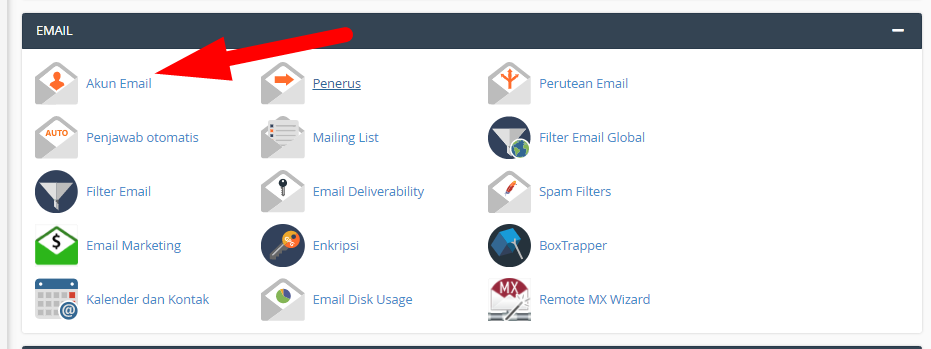
Step 3 — Click Create
On the Email Accounts page, click the Create button.
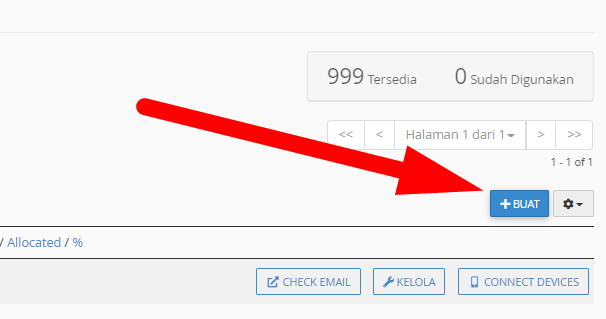
Step 4 — Fill In the Form
Fill in the required fields:
- Username — the email name you want to create (e.g.
info,admin,yourname) - Domain — select the domain
- Password — use a combination of uppercase letters, lowercase letters, and numbers
- Storage Space — set the inbox storage quota
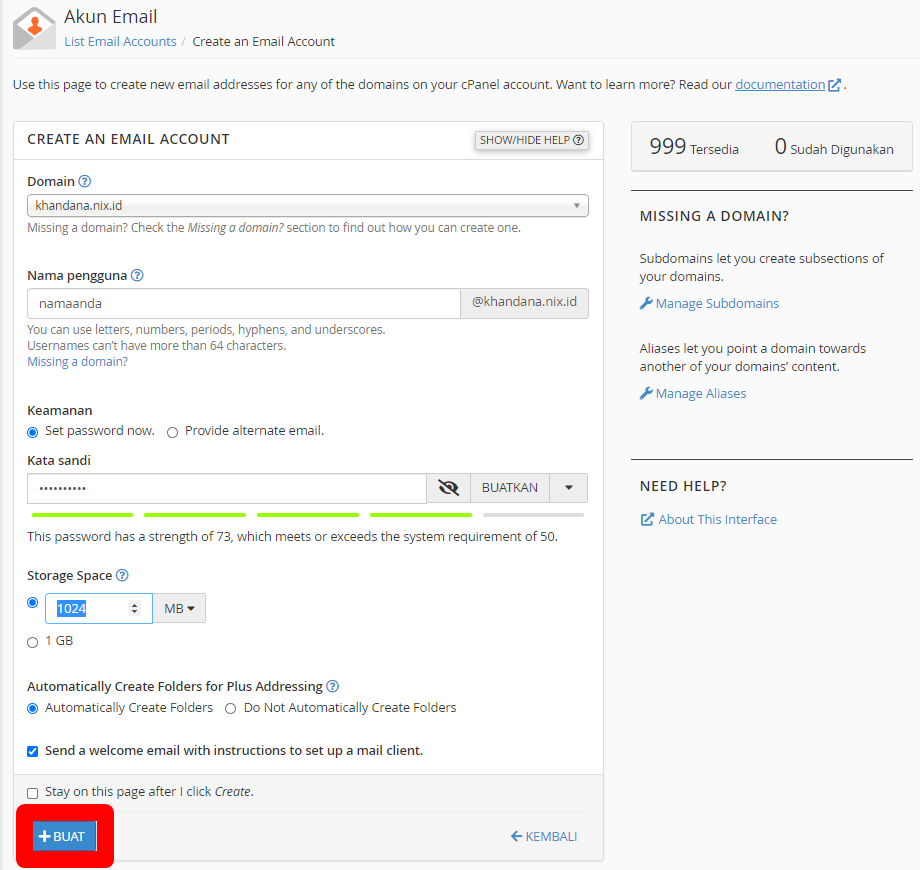
Step 5 — Click Create
Once all fields are filled, click Create. Your email account is now active and ready to use.
