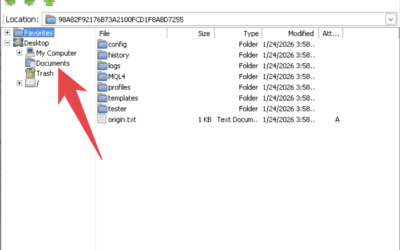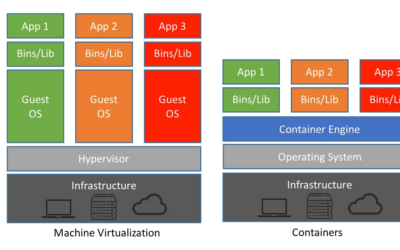
On the DigiOS Forex VPS, users will find two file manager applications which at first glance look similar, but actually have different functions and purposes, namely File Manager (Linux) And Windows Explorer (Windows emulation).
Understanding the differences between the two is important to ensure optimal use of DigiOS and to avoid confusion, especially for users who are using DigiOS for the first time.
File Manager in DigiOS
File Manager is a file manager Linux standards and is main file manager on DigiOS.
Characteristic:
- Shaped icons plain folder
- Directly integrated with the DigiOS system
- Manage all system files and folders
This is the File Manager best used for daily activities, like:
- Opening a folder
- Managing files
- Copy or move data
- Extracting files
- Setting up trading folders
Because it is directly connected to the DigiOS Linux system, File Manager:
- More stable
- Faster
- More complete features
- More integrated with the system
Windows Explorer on DigiOS
Windows Explorer on DigiOS not native Windows Explorer, but rather emulation of Windows file manager.
Characteristic:
- Folder icon with classic Windows logo
- The display resembles Windows Explorer
- Running on top of a Windows emulation environment (Wine)
The main function of Windows Explorer in DigiOS is special For:
- Helping the process transfer EA or Windows files
- Accessing Windows application folders (Wine)
- Adjust the EA file structure as in Windows
Windows Explorer not intended for daily use.
Windows Explorer Main Function: Transfer EA
Windows Explorer only needs to be used when:
- Copying EA
- Copying indicators
- Moving files into the MetaTrader (Wine) folder
Once the process is complete, the user It is recommended to return to using the Linux File Manager. for other activities.
Why is it not recommended to use Windows Explorer every day?
Because Windows Explorer on DigiOS:
- Only emulation
- Not fully integrated with the system
- The features are limited
- Heavier than Linux File Manager
On the other hand, Linux File Manager:
- Lighter
- More stable
- More features
- Safer for long term use
Brief Comparison
| Aspect | File Manager (Linux) | Windows Explorer (Emulation) |
|---|---|---|
| Icon | Plain folder | Folder + Windows logo |
| System | Native DigiOS | Windows Emulation |
| Main function | Daily file management | Transfer EA & Windows files |
| Performance | Faster | Heavier |
| Recommendation | Used daily | Use only when necessary |
Recommended Use
For the best experience on DigiOS:
- Use File Manager for daily activities
- Use Windows Explorer only when absolutely needed
- Focus Windows Explorer only on Windows application file matters.
This way, DigiOS will remain lightweight, stable, and optimal for trading needs.
Conclusion
DigiOS provides two file managers with different purposes. Linux File Manager is the main file manager, whereas Windows Explorer is just an emulation tool.
Using File Manager as the default will provide a more convenient, faster, and integrated experience. Windows Explorer is sufficient for use as needed, especially when organizing EA files.